Watercolor Christmas Clipart: A Practical Guide to Choosing and Using High-Quality Digital Assets
The holiday season brings a surge of creative projects, from designing greeting cards and social media banners to crafting printable planners and marketing materials. For many creators, watercolor Christmas clipart offers the perfect blend of festive charm and artistic elegance. Unlike rigid vector graphics or generic stock photos, hand-painted watercolor elements provide warmth and texture that resonate with audiences. However, not all digital downloads are created equal. Many buyers rush into purchases without understanding resolution requirements, licensing terms, or design compatibility, leading to frustrating results.
This guide helps you navigate the world of digital holiday graphics. We will explore common pitfalls when selecting instant download assets and provide actionable advice to ensure your final designs look professional, crisp, and cohesive.
Understanding the Value of Hand-Drawn Elements
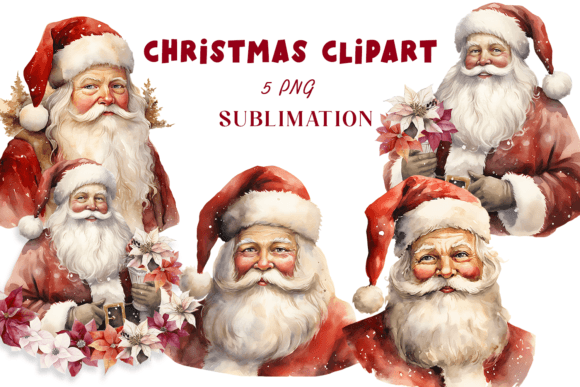
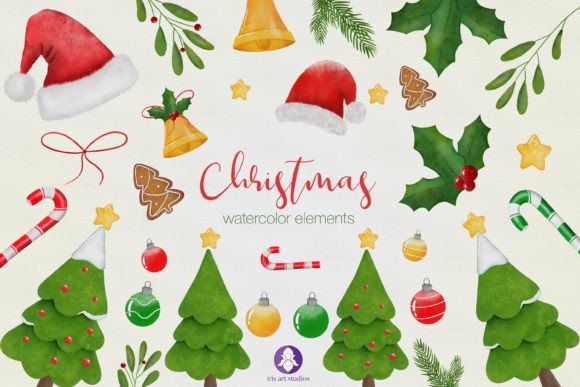
When you purchase a collection like a set of 24 assorted digital clipart elements, you are investing in uniqueness. Mass-produced graphics often feel sterile, but hand-drawn PNG files carry the subtle imperfections and organic flow of real brushstrokes. This authenticity is crucial for brands and individuals who want to stand out. A typical high-quality set might include four distinct Christmas trees, two variations of Santa’s hats, holly berries, candy canes, and cookies. These specific elements allow for versatile compositions without the clutter of irrelevant graphics.
The primary advantage of these assets is their flexibility. Because they come with transparent backgrounds, you can layer them over any color or pattern. Whether you are creating a subtle watermark for a blog post or a bold header for an email newsletter, the transparency ensures seamless integration. However, this flexibility is only useful if the underlying file quality supports your intended use.
Mistake 1: Ignoring Resolution and Print Readiness
One of the most frequent errors beginners make is assuming that any image labeled "high quality" is suitable for printing. This is rarely true. Screen resolution and print resolution are vastly different. An image that looks sharp on a smartphone may appear pixelated and blurry when printed on a greeting card or flyer.
The Fix: Always check the dots per inch (DPI) or pixels per inch (PPI). For professional printing, you need files at 300 PPI. If a seller does not explicitly state this specification, proceed with caution. A reliable digital download should offer PNG files at 300 PPI to ensure clean, crisp edges. Before purchasing, verify the dimensions. A small icon might be fine for a website footer, but a large banner requires significantly larger pixel dimensions to maintain clarity at 300 PPI.
Mistake 2: Overlooking File Format and Usability
Another common misunderstanding involves file formats. Some buyers expect editable source files like PSD or AI, while others receive only flattened JPEGs. JPEGs do not support transparent backgrounds, which means you will spend hours manually removing white boxes around your Christmas trees or ornaments. This defeats the purpose of buying clipart for efficiency.
The Better Approach: Ensure the product description specifies PNG format with transparent background. This format preserves the integrity of the watercolor edges while allowing you to place the element over any background instantly. Additionally, check how the files are delivered. A well-organized Zip folder containing individually named files saves considerable time compared to a single merged document. Look for collections where elements are separated, allowing you to mix and match components like placing a candy cane next to a cookie without cropping issues.
Mistake 3: Neglecting Cohesion and Style Consistency
Creatives often fall into the trap of mixing disparate styles. You might buy a realistic watercolor tree from one artist and a cartoonish Santa hat from another. When combined, these elements clash, making the design look amateurish. The human eye is sensitive to inconsistent lighting, brush textures, and color palettes.
Practical Advice: Stick to a single collection or artist for a cohesive look. A curated set of 24 elements painted by the same hand ensures that the watercolor washes, color saturation, and line weights harmonize. For instance, if the holly berries have a soft, wet-on-wet technique, the accompanying Christmas cookies should share that same aesthetic. This consistency elevates the perceived value of your project, whether it is a commercial product or a personal gift tag.
Evaluating Licensing and Usage Rights
Before using any digital asset for commercial purposes, such as selling printed mugs or digital planners, you must understand the license. Many creators assume that buying a file grants unlimited rights. In reality, licenses vary. Some allow unlimited commercial use, while others restrict sales to a certain number of units or prohibit use in logos and trademarks.
Always read the terms included in your download. If the license is unclear, contact the seller. Using assets incorrectly can lead to legal issues and damage your professional reputation. For entrepreneurs and small business owners, verifying these details is not just a formality; it is a critical step in risk management.
Maximizing Efficiency in Your Workflow
Once you have selected the right watercolor Christmas clipart, integrating it efficiently into your workflow is key. Here are some tips to enhance productivity:
- Organize Immediately: Upon downloading the Zip folder, extract the files into a dedicated project folder. Rename files if necessary to describe their content clearly, such as "Red-Holly-Berry.png" instead of "IMG_001.png."
- Create Mockups: Test the elements on various backgrounds early in the design process. Watercolors can sometimes appear too light on dark backgrounds. Adjust opacity or add a subtle drop shadow if needed to ensure visibility.
- Layer Wisely: Use the transparent nature of PNGs to create depth. Place smaller elements like sprinkles or stars behind larger items like ornaments to add dimension without cluttering the foreground.
Final Considerations Before You Buy
Choosing the right digital assets requires a balance of aesthetic judgment and technical awareness. Do not let the excitement of the holiday season rush you into a poor decision. Take a moment to review the preview images closely. Zoom in to check for jagged edges or compression artifacts. Read reviews from other buyers to gauge the seller’s reliability and customer service.
Remember, high-quality resources like a set featuring adorable graphics painted using watercolors are investments in your brand’s visual identity. By prioritizing resolution, format, cohesion, and licensing, you avoid common frustrations and ensure your creative projects shine. Whether you are a blogger enhancing a post, a teacher creating classroom decorations, or an entrepreneur designing packaging, the right clipart simplifies your work and elevates your output.
In summary, look for hand-drawn uniqueness, verify the 300 PPI standard, insist on transparent PNGs, and respect licensing agreements. These steps will help you make informed choices, saving you time and money while delivering beautiful, professional results for your audience.